The roofing CRM that turns leads into signed jobs.
Leads show up measured, priced from your rates, and ready to book an inspection. BetterRoofing handles the follow-up and sends quotes they sign online.
$99/month · Unlimited users · 14 days free · No credit card
Capture. Follow up. Quote. Close.
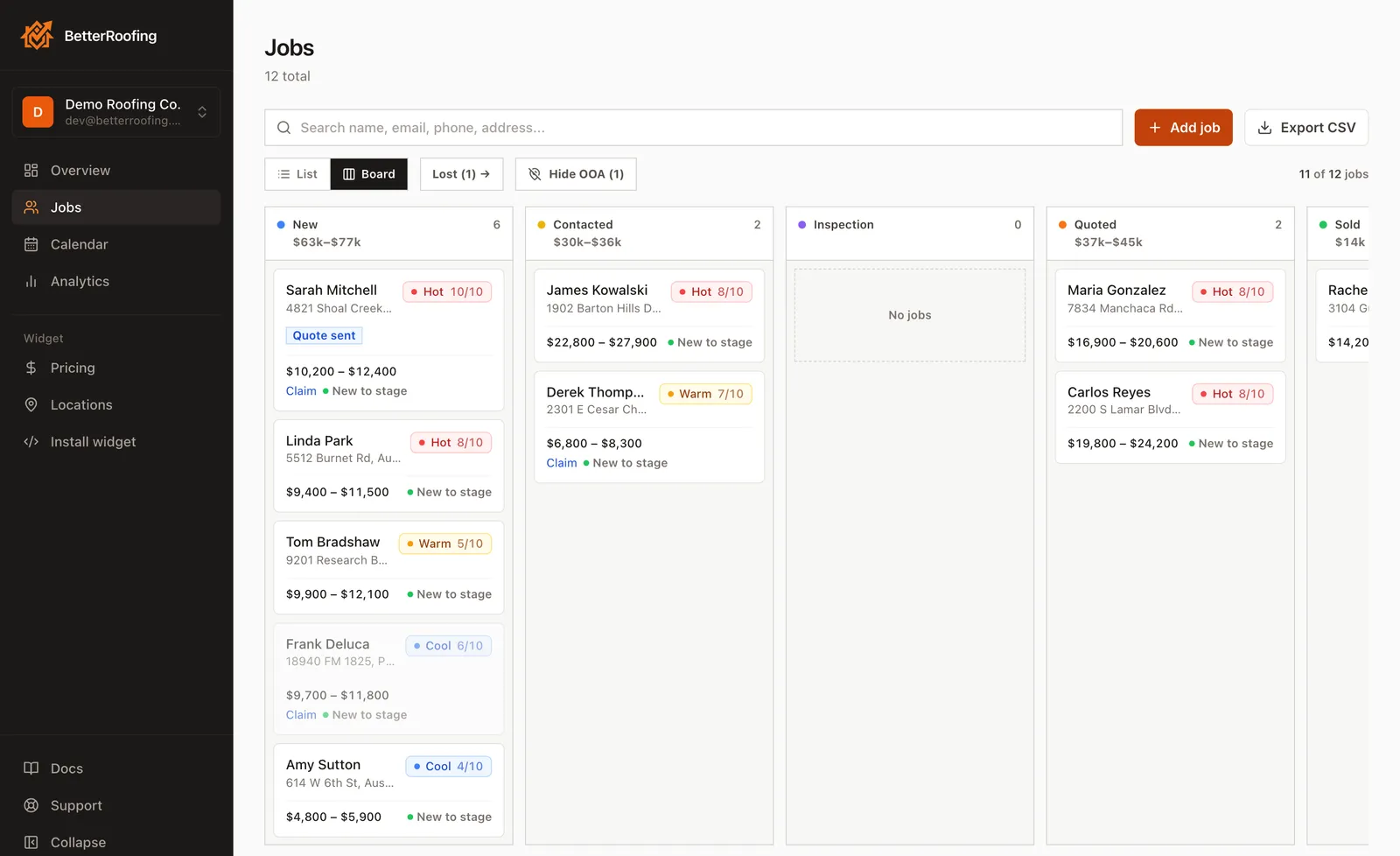
Every job moves through the same four steps, on one board.
1Capture
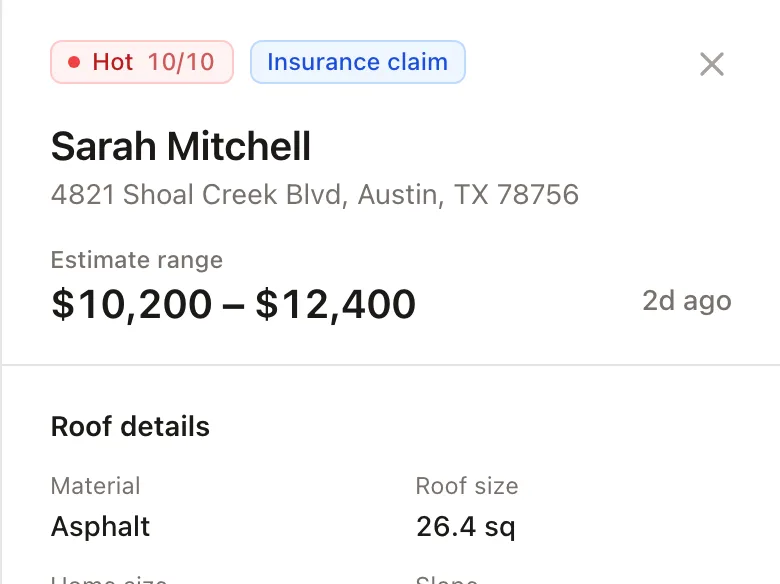
The homeowner gets an estimate, and the job lands on your board with their roof and the range they saw.
From your website, your estimate link, a QR code, or a call you add by hand.
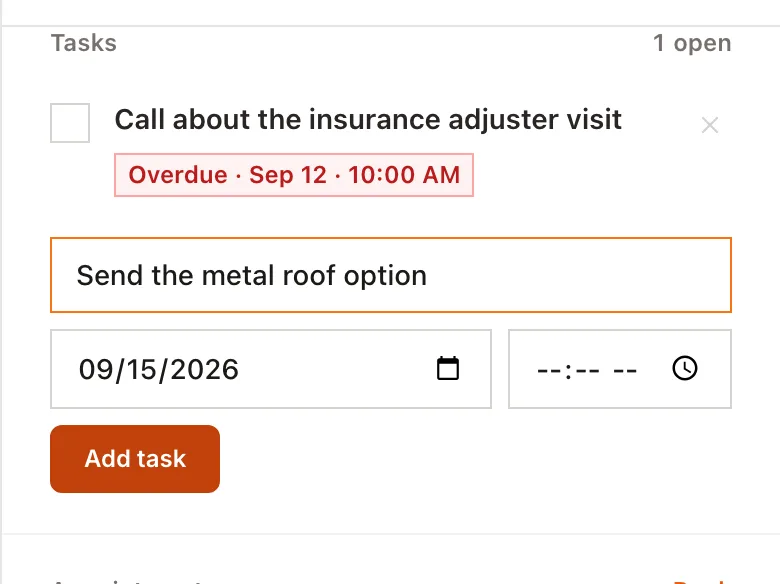
2Follow up
Autopilot can email new leads for you, while the Today list shows who to call.
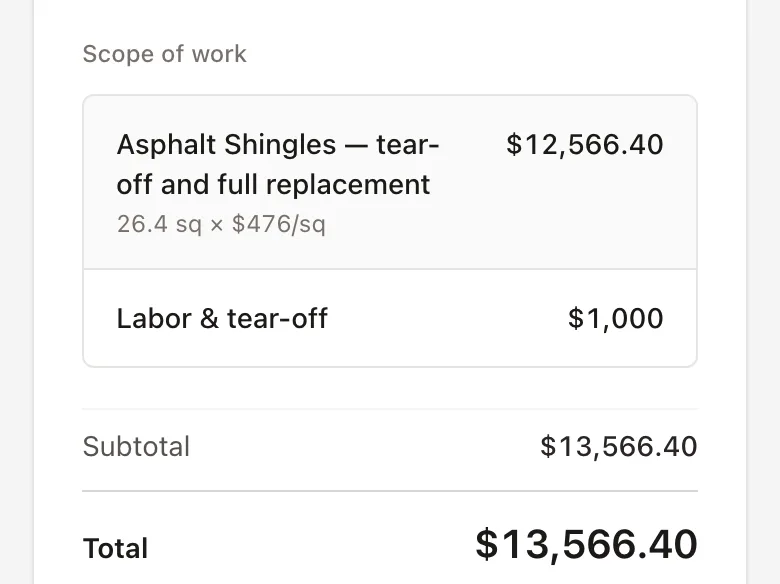
3Quote
Turn the estimate into a quote without retyping it.
4Close
They sign online, and the job moves to Won at its real value.
Try it the way a homeowner would.
Type any address and get an estimate, just like a homeowner on your website. In BetterRoofing, that estimate lands in your pipeline as a new lead, roof details and price range attached.
Start my free trial14 days free · No credit card
Loading the AI chat bot
Loading the estimator you'd put on your own site.
Choose how it appears on your website
Opens from the corner of every page. Same roof lead and job details.
Start from a number, not a name.
A contact form gives you a name and a phone number. BetterRoofing gives you the roof, the project details, and a price range before you call.
A lead from a contact form
- Name
- Sarah Mitchell
- Phone
- (512) 555-0147
- Message
- “Need a quote on my roof”
- Roof size
- Unknown
- Material
- Unknown
- Price range
- Unknown
You call to find out what the job is.
The same lead in BetterRoofing
Website estimate- Name
- Sarah Mitchell
- Phone
- (512) 555-0147
- Address
- 4821 Shoal Creek Blvd
- Roof size
- 26.4 squares
- Material
- Asphalt shingles
- Insurance
- Insurance claim
- Estimate
- $10,200 – $12,400
You call knowing what the job is worth.
Sample lead, for illustration.
Priced from your rates
The roof is measured from aerial imagery and priced with your numbers.
Answers at 10pm
Homeowners get a range in about 25 seconds, whenever they land.
Anywhere you share it
Your website, a text, your Google profile, or a QR code on a yard sign.
Only the areas you serve
Addresses outside your service area are flagged or blocked.
Built for roofing sales—not bloated production management.
BetterRoofing focuses on the part that makes you money: capturing leads, following up, quoting, and closing jobs. You aren't paying for production tools you won't use.
See who needs a call before the lead goes cold.
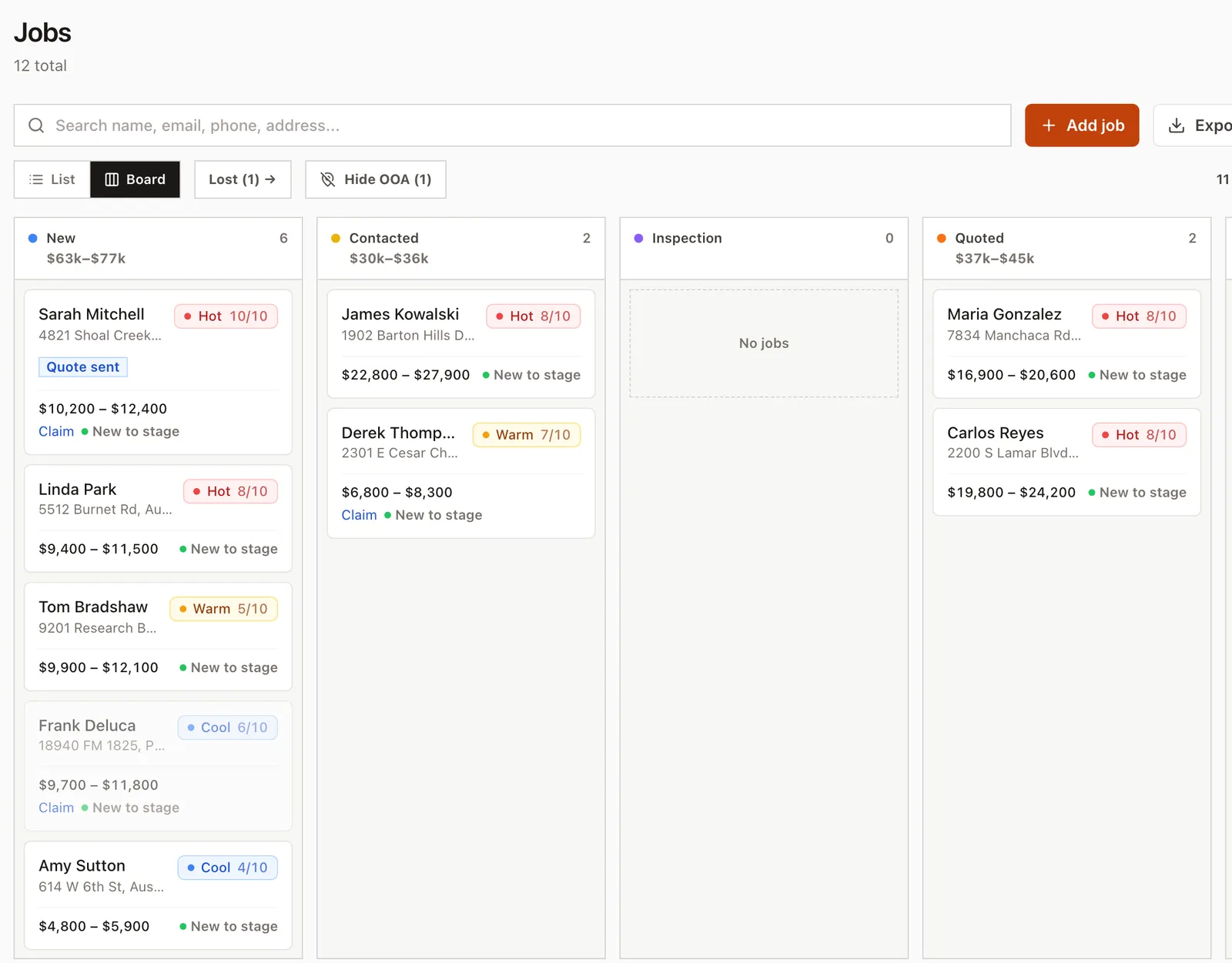
Every job sits on one board, from first call to paid. Cards turn amber, then red, as they sit, so the job nobody's chased is the one you notice first.
One board, first call to paid
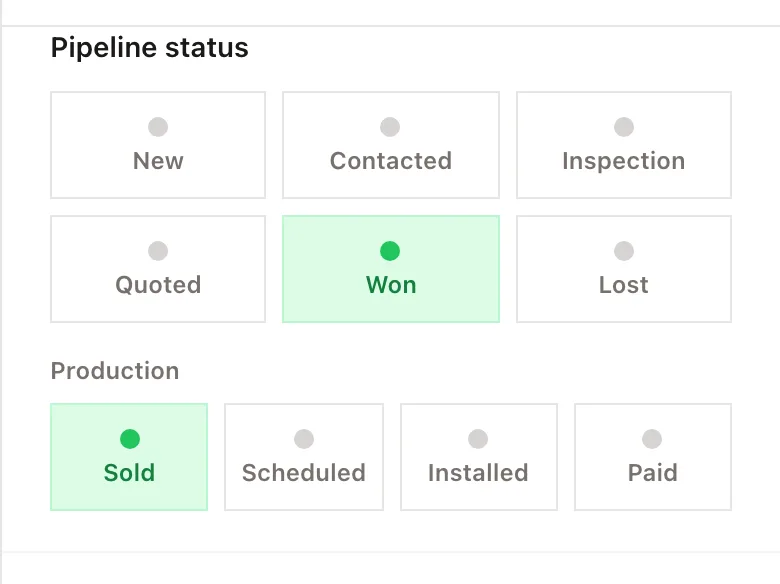
New, Contacted, Inspection and Quoted, then Sold, Scheduled, Installed and Paid.
Every call and note on the job
What was said and what happens next, on a timeline it keeps for you.
Calls and referrals too
Add a job by hand and work it from the same board as the rest.
Keep following up while you're up on a roof.
Switch on Autopilot and new leads get a follow-up email 1, 3 and 7 days after they come in, until they book or you close the job out. Everything else that needs you lands on one list.
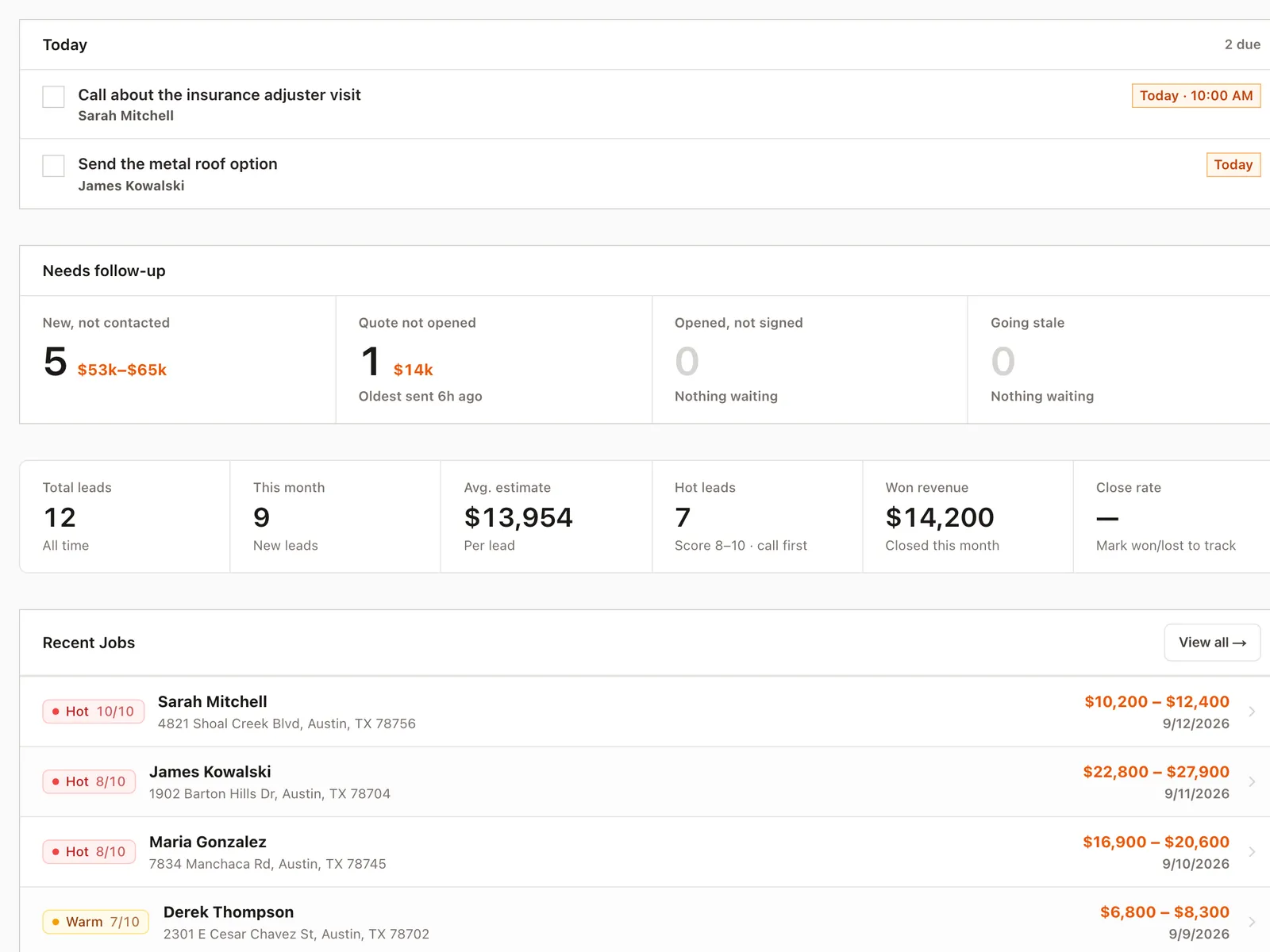
One list of what's due today
Tasks, new leads nobody has called, and quotes still waiting on a signature.
Drafts ready to send
A follow-up email and text drafted for any job, ready to edit and send.
Inspections they book themselves
Homeowners can pick a day from their estimate, and every appointment gets a confirmation and a reminder the day before.
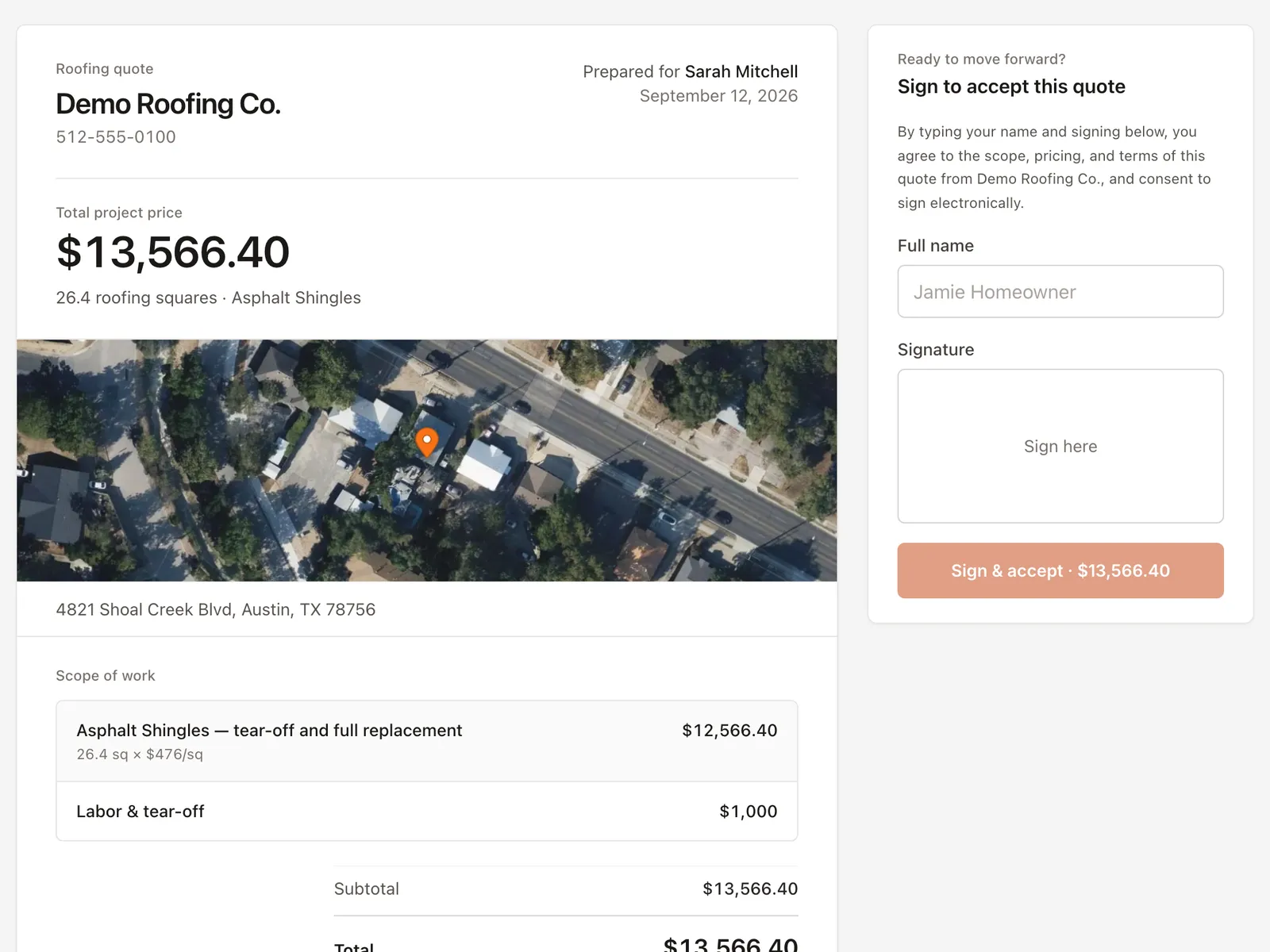
Get the quote signed without another round of paperwork.
The quote starts from the estimate, so the name, address, material and price are already filled in. Set your line items and terms, send it, and they sign online.
Signed from their phone
They type their name and draw a signature. You get an email the moment they do.
Know what you actually sold
Mark it won with the real contract value, and your revenue and close rate follow.
See when they open it
The job shows Quote opened, and how many times, so you know when to call.
Run the day from the roof.
The desk is the one place you aren't. Everything on the office screen works on the phone in your pocket, so the note gets written before you forget it.
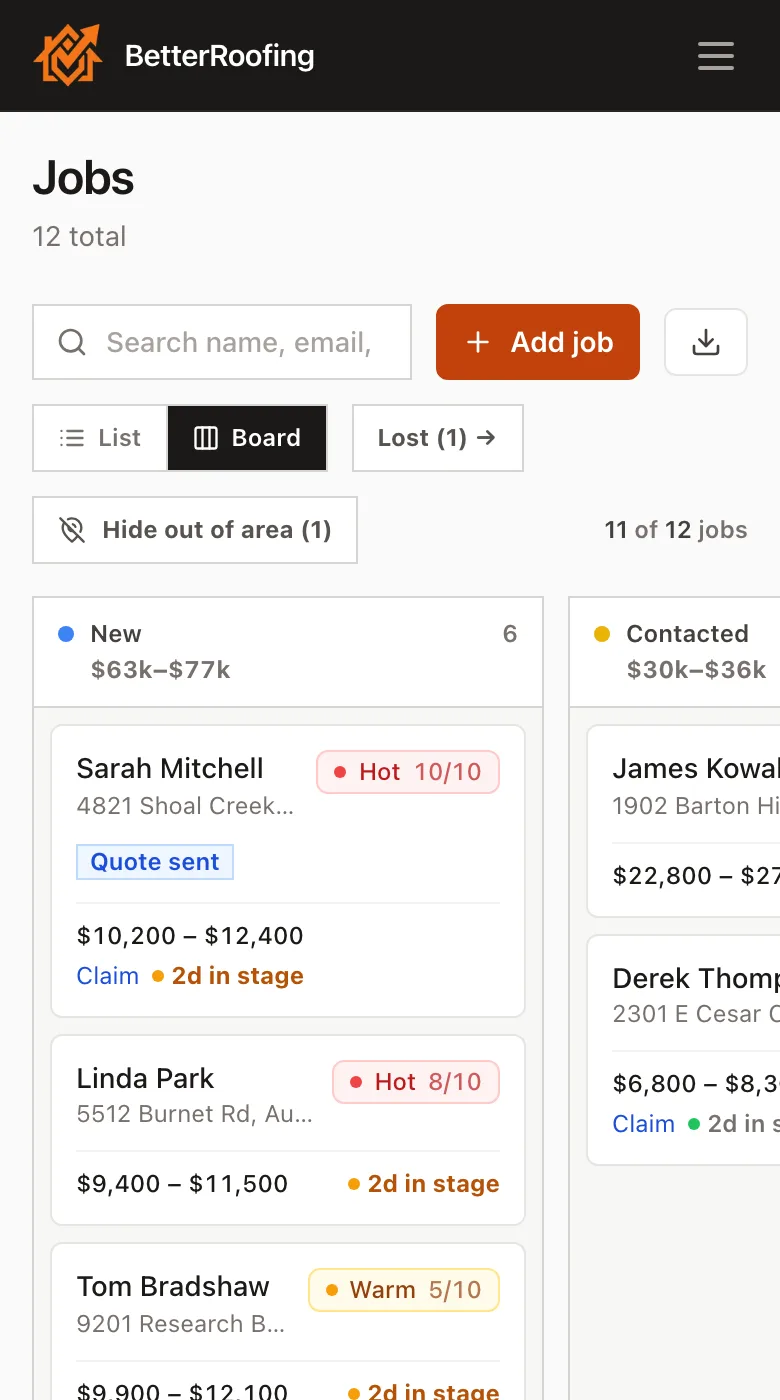
The same board, not a cut-down one
Every stage and every job, with the columns swiping across instead of squashing.
Nothing to install
It opens in the browser that's already on the phone. No store, no update to chase.
Photos straight off the roof
Attach what you shot on the job to the job itself.
From one truck to a full sales team.
Owner-operator
Stop managing leads out of texts, notes, and memory.
Every job, note and next step on one board, on your phone too.
Small sales team
Everyone knows who owns each lead and who needs follow-up.
Everyone gets their own login, at no extra cost.
Growing roofing company
See your pipeline, close rate, and signed revenue in one place.
Multiple service locations, plus a sales summary every Monday.
One plan. Everything included.
The estimator, the pipeline, automatic follow-up and online signing, all in one plan. No tiers to compare, and no demo call to find out the price.
See everything that's included- Unlimited users
- No setup fee
- 14-day free trial
- No credit card required
- Cancel anytime
$99 per month for your whole company, with unlimited users and a 14-day free trial. No credit card is required to start, there is no setup fee, and you can cancel anytime. There is one plan and everything is in it, so there is no tier to compare and nothing to add on later.
You set every number (price per square by material, waste factor, and tear-off cost), so the range shown is built entirely from your rates, not ours. Every estimate also states that final pricing follows an in-person inspection. It's an anchor that starts the conversation on your terms, not a contract that binds you to a price.
The estimate uses the property and your pricing, not a national average. BetterRoofing estimates the roof size from available aerial or 3D data, then applies your rates. The homeowner sees how the estimate was calculated and that final pricing follows an in-person inspection.
No. You can share your BetterRoofing estimate link directly through text, email, social media, Google Business Profile, QR codes, and other channels. If you do have a website, the estimator installs with one line of code on WordPress, Squarespace, Wix, Webflow or anything else.
No, and that's deliberate. BetterRoofing covers the sales side of roofing: capturing leads, following up, estimating, quoting, and tracking what you close. It doesn't dispatch crews, order materials, cost jobs, send invoices, or collect payments. Won jobs still move through Scheduled, Installed and Paid so you can see where work stands, but a deposit is noted on the quote rather than collected, and marking a job Paid records that you were paid rather than processing it. If you run production in another tool, keep it: BetterRoofing can send every new lead to it through Zapier or a webhook.
Keep it if it works for you. Every new lead can go straight into JobNimbus, HubSpot, AccuLynx, or another tool through Zapier or a webhook, with no double entry. If your CRM is mostly a pipeline and a calendar, BetterRoofing may cover that on its own.
Get your next lead with the price already on it.
Put the estimator on your site or share the link, then work every job it brings in through to a signed quote.
14 days free · No credit card · $99/month after trial